Windows hardware monitor

Your PC's vitals,
on a screen by your desk.

CPU and GPU load, temperatures, memory, FPS. The monitoring app is free, and plugging in a Nottie Display over USB puts those stats on screen the moment you sign in to Windows.

Windows 10 · 11
No dedicated device needed — the PC program works on its own.
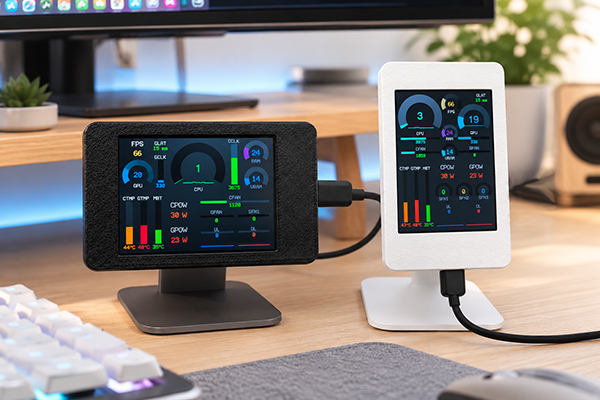
Two Nottie Display units side by side on a desk — a black and a white unit showing live hardware stats
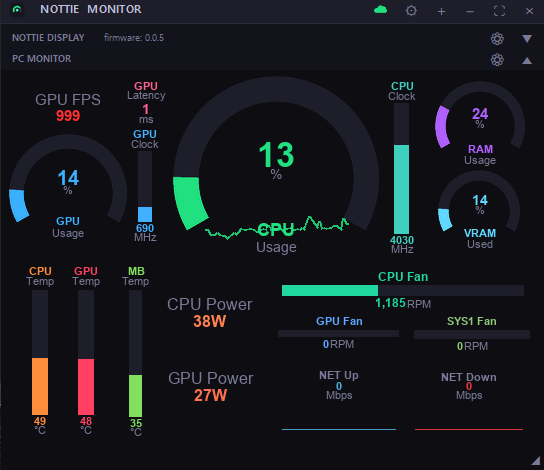
The Nottie Monitor app — CPU and GPU gauges, temperature bars and fan speeds in a single window
Nottie Monitor

A free monitoring app
that runs on your PC

It reads your motherboard, CPU and GPU sensors and gathers load, temperature, power, clocks, fan speed and network speed into one window. Lay them out as arc gauges, bars or plain numbers — then send the same layout straight to a Nottie Display.

  • Over 20 sensors, sampled every second
  • Drag-and-resize layout editor
  • Window opacity · always on top · lives in the tray
Download

As a free, unsigned app, Windows may show a warning when you run it. Click “More info”, then “Run anyway” to install.

① Click “More info”
×
Windows protected your PC

Microsoft Defender SmartScreen prevented an unrecognized app from starting. Running this app might put your PC at risk.

More info
Don’t run
② Click “Run anyway”
×
Windows protected your PC

Microsoft Defender SmartScreen prevented an unrecognized app from starting. Running this app might put your PC at risk.

App: NottieMonitor_Setup_0.9.4.exe
Publisher: Unknown publisher
Run anywayDon’t run
Better together

Add a screen,
check it from your phone.

Dedicated device

Nottie Display

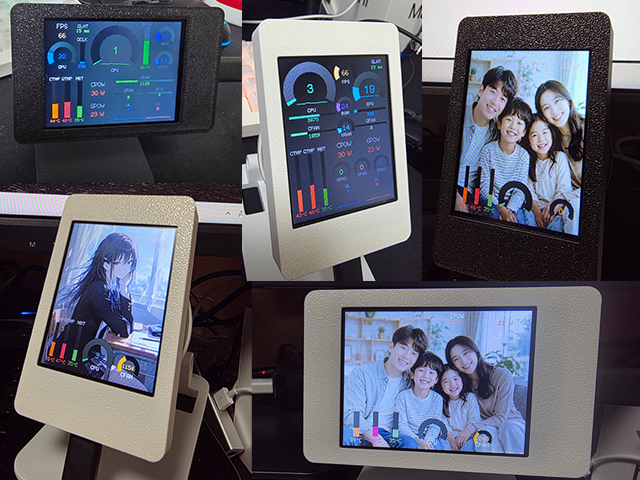
A 320×240 colour screen for your desk. It runs off a single USB cable and mirrors the layout you built in the app, so you can watch temps and frame rate without opening a window mid-game.

Size: 90 × 56 × 13 mm
Nottie Display in real use
In real use

The housing is 3D-printed, so you may notice faint layer lines. It can start to deform from around 50°C — don't mount it inside your PC case.

Buy
Mobile app

Nottie app

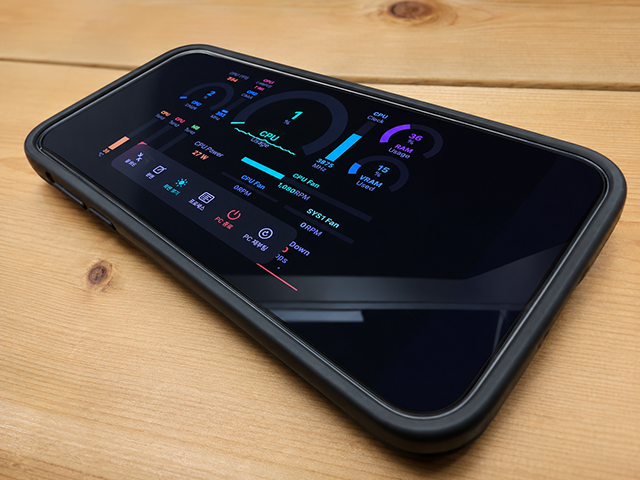
iPhone and Android apps let you check your PC from anywhere. Turn on cloud sync in the desktop app and the phone connects straight to your PC (peer-to-peer) for live readings — you can even shut it down or restart it remotely.

iOS · Android P2P remote link 7-day free trial
Nottie app screen

Depending on your network (firewalls and the like), a connection isn't always possible. After the 7-day free trial, an in-app purchase keeps it running.

Monitoring

What it reads

Exactly which values show up depends on the sensors your motherboard exposes.

CPU load CPU temp CPU power CPU clock CPU fan GPU load GPU temp GPU power GPU clock GPU fan FPS GPU latency RAM usage VRAM usage VRAM clock System fan Board temp Network speed